
“`html
Manual Top-Up Guide: Mastering Your Smart Meter
Navigating the world of smart meters can sometimes feel daunting, especially when it comes to manually topping up your credit. Whether you’ve just had a smart meter installed or are simply looking for a refresher, understanding the manual top-up process is essential for maintaining uninterrupted service. This guide will walk you through the steps, ensuring you can confidently manage your energy supply. We’ll cover everything from understanding your meter’s display to completing the transaction, empowering you with the knowledge to keep your home powered up.
Understanding Your Smart Meter Display
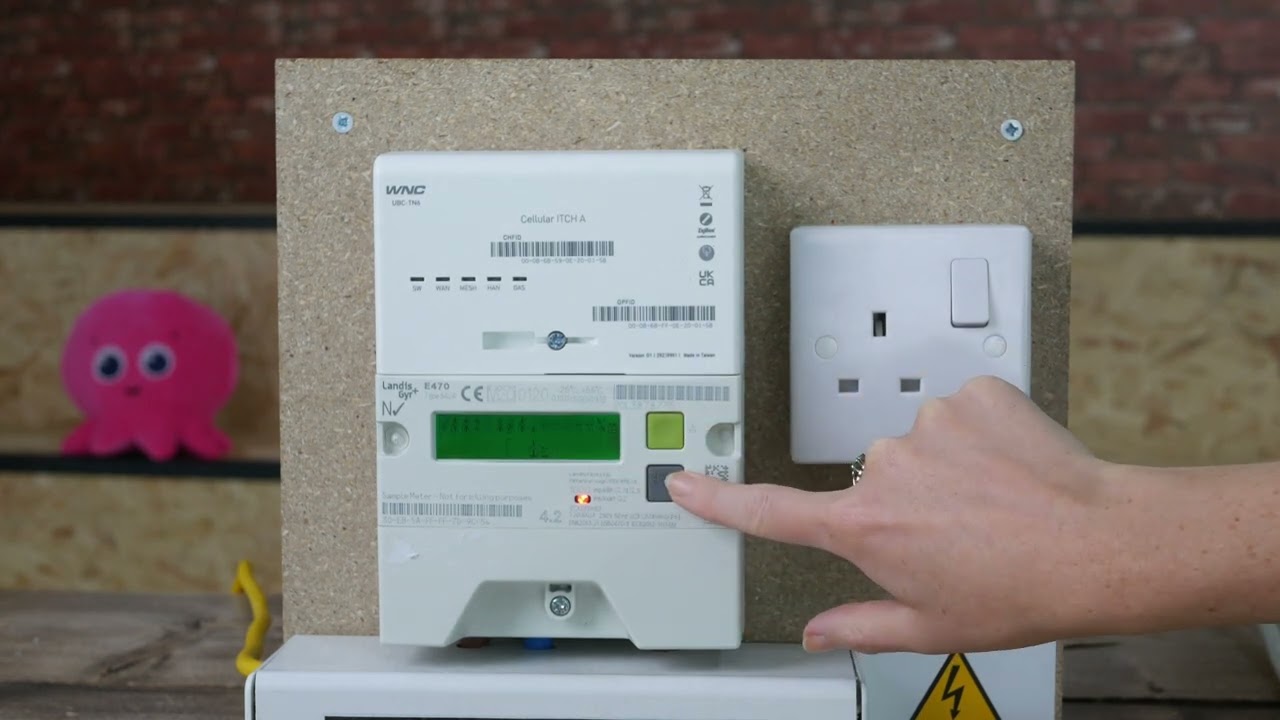
Before you can top up, it’s crucial to familiarize yourself with your specific smart meter’s display. Different models may present information slightly differently, but most will clearly indicate your current credit balance and supply status. Often, there’s a dedicated section or button to initiate a top-up or view payment options. Knowing where to find this information will streamline the entire process and prevent confusion.
Prepayment Smart Meters: A Closer Look
Smart meters operating on a prepayment basis require you to add credit before your energy supply is used. This system is designed to help you manage your spending effectively. When your credit runs low, your smart meter will typically provide advance warnings through audible beeps or on-screen messages, giving you ample time to top up and avoid a disconnection.
Fact: Smart meters offer a more transparent way to track energy consumption compared to traditional meters.
Methods for Manual Smart Meter Top-Ups
There are several convenient ways to manually top up your smart meter, catering to different preferences and accessibility needs. Each method is designed for ease of use and security, ensuring your payment is processed efficiently.
1. Using a Top-Up Card or Voucher
Many smart meter systems utilize a physical top-up card or a voucher with a unique barcode or number. You can typically purchase these from local shops, post offices, or convenience stores affiliated with your energy provider’s payment network. Once you have your card or voucher, you’ll need to take it to your smart meter.
- Locate the card slot or keypad on your smart meter.
- Insert your top-up card or enter the voucher number as prompted.
- Follow the on-screen instructions to confirm the transaction.
- Your meter should update immediately to reflect the added credit.
2. Topping Up via a Mobile App or Online Portal
Most energy providers offer dedicated mobile applications or online portals that allow for easy top-ups. This is often the quickest and most convenient method, as it can be done from anywhere at any time.
- Download your energy provider’s app or visit their website.
- Log in to your account using your registered credentials.
- Navigate to the ‘Top-Up’ or ‘Prepayment’ section.
- Enter the desired amount and select your preferred payment method (e.g., debit/credit card, PayPal).
- Confirm the payment. The credit should reflect on your meter within minutes.
3. Telephone Top-Ups
For those who prefer speaking to a person or do not have access to a smartphone or internet, a telephone top-up service is usually available. You’ll typically need your account number and payment details ready.
Fact: Telephone services often operate 24/7, offering flexibility for all users.
Call your energy provider’s dedicated top-up line. You will be guided through the process by an automated system or a customer service representative to complete your payment securely.
Troubleshooting Common Top-Up Issues
Occasionally, you might encounter issues when trying to top up your smart meter. Here are some common problems and their solutions:
| Problem | Solution |
|---|---|
| Top-up not appearing on meter | Wait a few minutes for the system to update. If it still doesn’t appear, contact your energy provider. Ensure you’ve used the correct top-up card or voucher number. |
| Unable to find a top-up point | Use your energy provider’s app or website to locate the nearest authorized top-up location. |
| Meter error message during top-up | Note down the error code displayed on the meter and contact your energy provider for assistance. They can often resolve the issue remotely. |
Frequently Asked Questions (FAQ)
Q1: How often do I need to top up my smart meter?
The frequency of top-ups depends entirely on your energy consumption and the amount of credit you add. Monitor your balance regularly through your meter display, app, or online portal to ensure you don’t run out of credit.
Q2: Can I top up my smart meter if I’m not at home?
Yes, most energy providers allow you to top up remotely via their mobile app or online portal. This means you can add credit to your meter from anywhere, ensuring continuous supply.
Q3: What happens if my smart meter runs out of credit completely?
If your smart meter runs out of credit, your energy supply will be disconnected. You will need to add credit as soon as possible to restore your supply. Some meters may have a small emergency credit facility that can be activated in such situations.
In conclusion, manually topping up your smart meter is a straightforward process that offers control over your energy expenses. By understanding the different top-up methods available, whether it’s using a card, app, or phone, you can ensure your home remains powered without interruption. Familiarize yourself with your meter’s display and your energy provider’s specific instructions to make the process as smooth as possible. Should you encounter any issues, remember that support is readily available from your energy provider. Taking a proactive approach to managing your smart meter credit will lead to a more predictable and budget-friendly energy experience.
“`
