Understanding Your E.ON Smart Meter: A Comprehensive Guide
Navigating the world of energy consumption can seem daunting, especially with new technology like smart meters. E.ON’s smart meters are designed to simplify how you track and manage your energy usage, offering real-time data and facilitating more accurate billing. This guide will walk you through the essential steps of reading your E.ON smart meter, empowering you to take control of your energy habits and potentially reduce your bills.
Decoding Your E.ON Smart Meter Display
Your E.ON smart meter, whether it’s for electricity or gas, features a digital display that provides crucial information about your energy consumption. Understanding these readings is the first step towards effective energy management. The meter typically cycles through various screens, each showing different data points. You’ll often need to press a button to manually advance through these screens or wait for it to cycle automatically.
Essential Readings on Your Smart Meter
The most important information you’ll find on your E.ON smart meter includes your current energy consumption (often displayed in kilowatt-hours for electricity and cubic meters or kilowatt-hours for gas) and possibly your current energy cost. Some meters also display the date and time, and the rate you are currently being charged if you are on a variable tariff. Familiarizing yourself with the symbols and units displayed is key to accurate interpretation.
How to Read Your E.ON Electricity Smart Meter
E.ON’s electricity smart meters are designed for ease of use. Typically, the primary screen will show your immediate power usage or the total units consumed. To get a more detailed breakdown, you may need to navigate through the meter’s menu using its buttons. Look for readings labeled “kWh” which represent kilowatt-hours, the standard unit for electricity. You might also see readings for “Import” and “Export” if you have solar panels.
Tracking Your Electricity Consumption
To understand your electricity usage patterns, regularly check the displayed kilowatt-hour (kWh) reading. By noting this figure at different times of the day and after specific activities, you can begin to identify high-usage periods and appliances. This data is invaluable for making informed decisions about when to use energy-intensive devices to potentially lower your bills.
- Locate the “kWh” reading on your electricity smart meter display.
- Note the current reading and the previous reading to calculate daily or weekly usage.
- Compare readings taken at different times to understand consumption patterns.
Did you know? Smart meters can transmit readings automatically to E.ON, eliminating the need for manual readings and estimated bills.
Interpreting Your E.ON Gas Smart Meter Readings
Similar to the electricity meter, your E.ON gas smart meter will display your consumption in units. The standard unit for gas is often cubic meters (m³), but it might also be displayed in kilowatt-hours (kWh), especially if E.ON uses it for billing. The display will typically show your cumulative gas usage. You may need to press a button to cycle through to the gas reading if it’s a dual-fuel smart meter.
Monitoring Your Gas Usage
To effectively monitor your gas consumption, pay attention to the units displayed (m³ or kWh). By recording these readings periodically, you can track how much gas you are using for heating, cooking, and hot water. Identifying trends can help you pinpoint areas where you can conserve gas, such as optimizing your thermostat settings or improving home insulation.
| Unit | Description |
|---|---|
| m³ | Cubic Meters (standard unit for gas) |
| kWh | Kilowatt-hours (sometimes used for gas, especially for billing) |
| Imp kWh | Imported Electricity Units |
The Smart Meter In-Home Display (IHD)
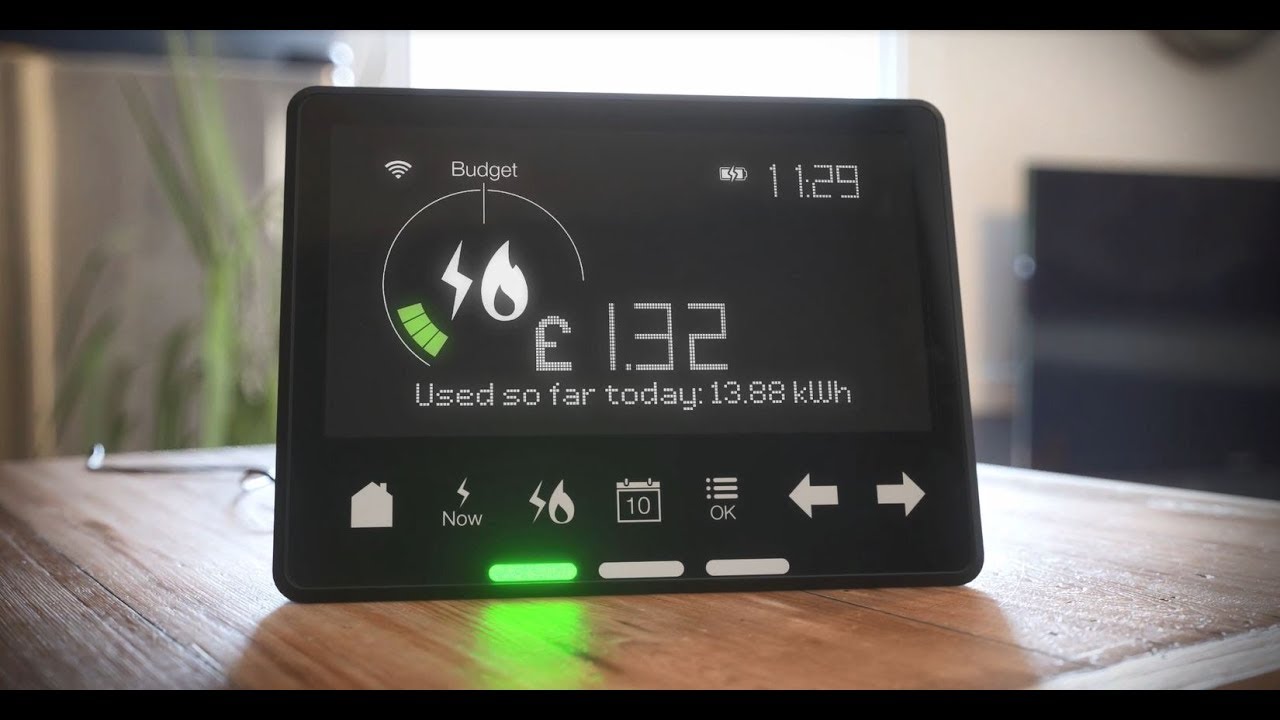
Most E.ON smart meter installations come with an In-Home Display (IHD). This handy device provides a user-friendly interface to view your energy consumption in near real-time, often in both units and cost. The IHD is designed to make understanding your energy usage more intuitive than reading the meter directly. It can help you see the immediate impact of turning appliances on or off.
Benefits of Using Your IHD
Your IHD is a powerful tool for managing your energy. It allows you to:
- See your current energy usage in pounds and pence.
- View historical consumption data.
- Set budgets and receive alerts.
- Understand your carbon footprint.
Fact: The IHD uses wireless technology to communicate with your smart meter, so no extra cables are usually required.
Frequently Asked Questions About E.ON Smart Meters
How often does my smart meter send readings?
Your E.ON smart meter is designed to send readings automatically at regular intervals, typically daily. This ensures E.ON has up-to-date information for accurate billing and so you don’t have to submit manual readings.
What if my smart meter display is blank?
If your smart meter display is blank, first check if the In-Home Display (IHD) is also off. If both are off, check your fuse box to ensure the meter hasn’t lost power. If the issue persists, contact E.ON customer support for assistance, as there might be a technical problem.
Can I still read my meter manually if I want to?
Yes, even with a smart meter, you can still manually read the meter display for your own records. However, the primary benefit of a smart meter is its ability to automatically transmit readings, which simplifies the process and reduces the likelihood of estimated bills.
Conclusion
Mastering the readings on your E.ON smart meter is a straightforward process that can lead to significant benefits in managing your household energy consumption. By understanding the different displays, regularly checking your kWh and m³ (or kWh) units, and utilizing your In-Home Display, you gain valuable insights into your energy habits. This knowledge empowers you to make conscious decisions, reduce waste, and ultimately lower your energy bills. Embrace the convenience and control that your E.ON smart meter offers, transforming how you interact with your energy supply for a potentially more cost-effective and environmentally friendly home.
